

AI Agents
AI Chatbots
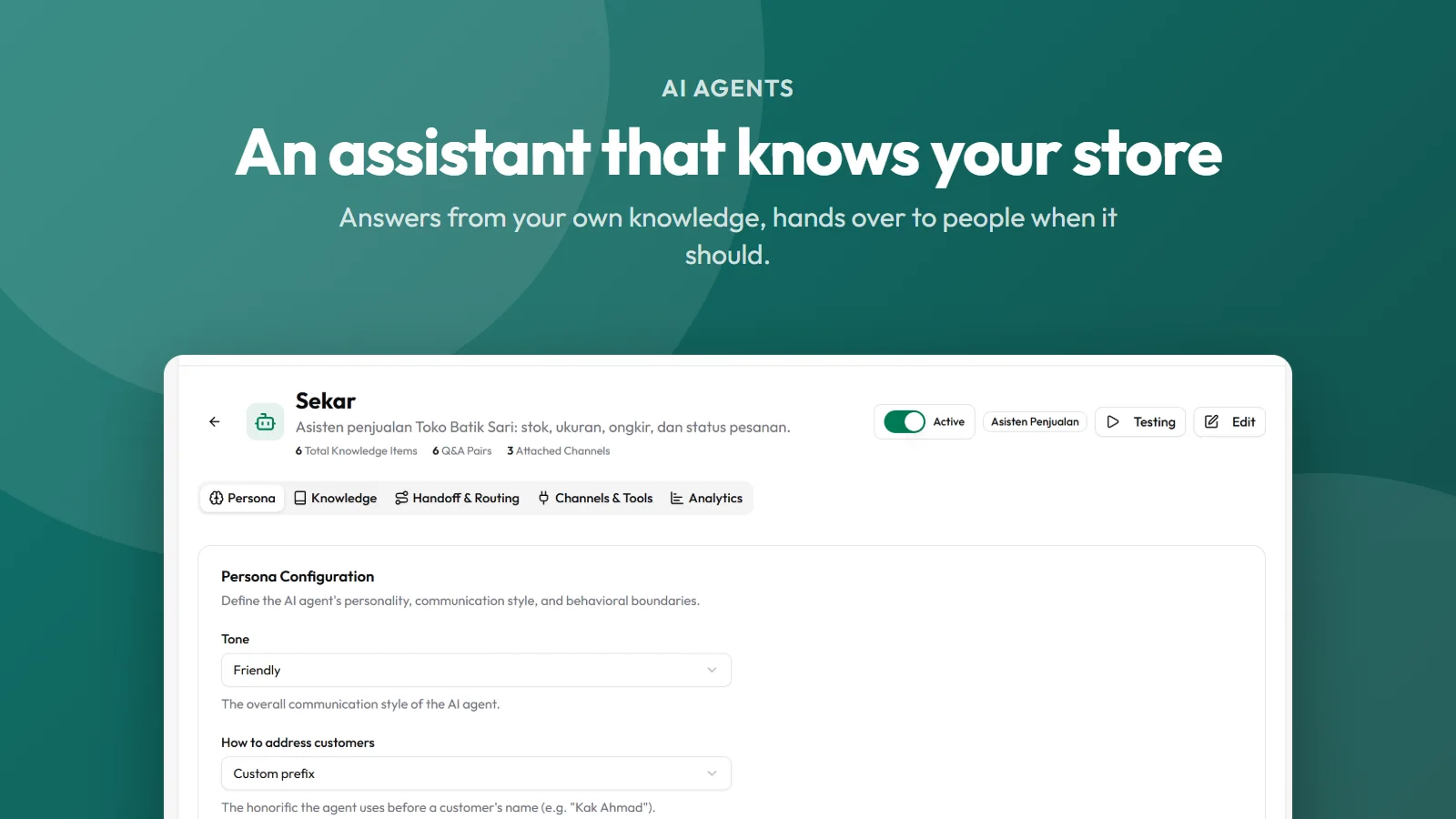
Qwetty’s AI chatbots can automatically respond to incoming messages, handle common questions, and free up your team to focus on complex conversations. In the app, chatbots are called AI Agents.
What chatbots can do
Section titled “What chatbots can do”- Answer FAQs — Respond to common questions using your knowledge base
- Provide product information — Share details about your products and services, including from documents and web pages you add
- Hand off to your team — Pass the chat to a human when the bot can’t help or the customer is unhappy
- Operate 24/7 — Handle messages outside business hours
How it works
Section titled “How it works”- Create a chatbot with a persona and instructions
- Build a knowledge base with a system prompt, Q&A pairs, files and web pages
- Attach the bot to one or more channels
- The bot automatically responds to incoming messages on those channels
Managing chatbots
Section titled “Managing chatbots”Go to AI Agents in the main navigation to:
- View all your chatbots
- Create new chatbots
- Edit chatbot settings and knowledge base
- Enable or disable chatbots
Next steps
Section titled “Next steps”- Creating a Bot — Set up your first chatbot
- Knowledge Base — Train your bot with prompts, Q&A, files and web pages
- Persona and Behaviour — How the bot sounds and when it replies
- Handoff and Routing — Hand chats to your team at the right moment
- Tools and MCP Servers — Let the bot browse the web or call your systems
- Testing and Analytics — Try the bot and measure how it performs
- Assigning to Channels — Deploy your bot