

AI Agents
Handoff and Routing
The Handoff & Routing tab decides when your AI agent steps aside for a person, what it asks new customers before helping, which customer details it can see, and whether it re-engages quiet chats.
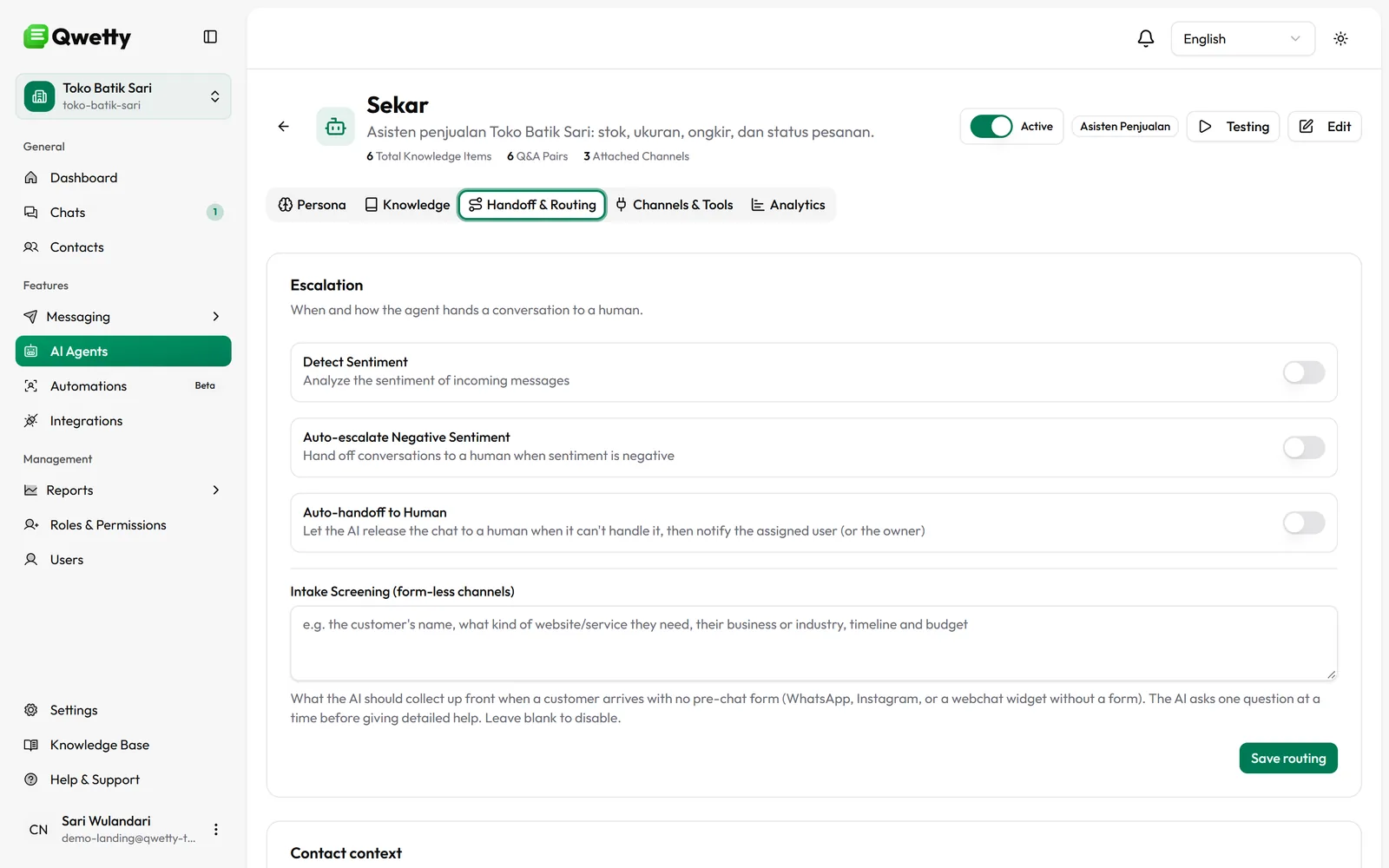
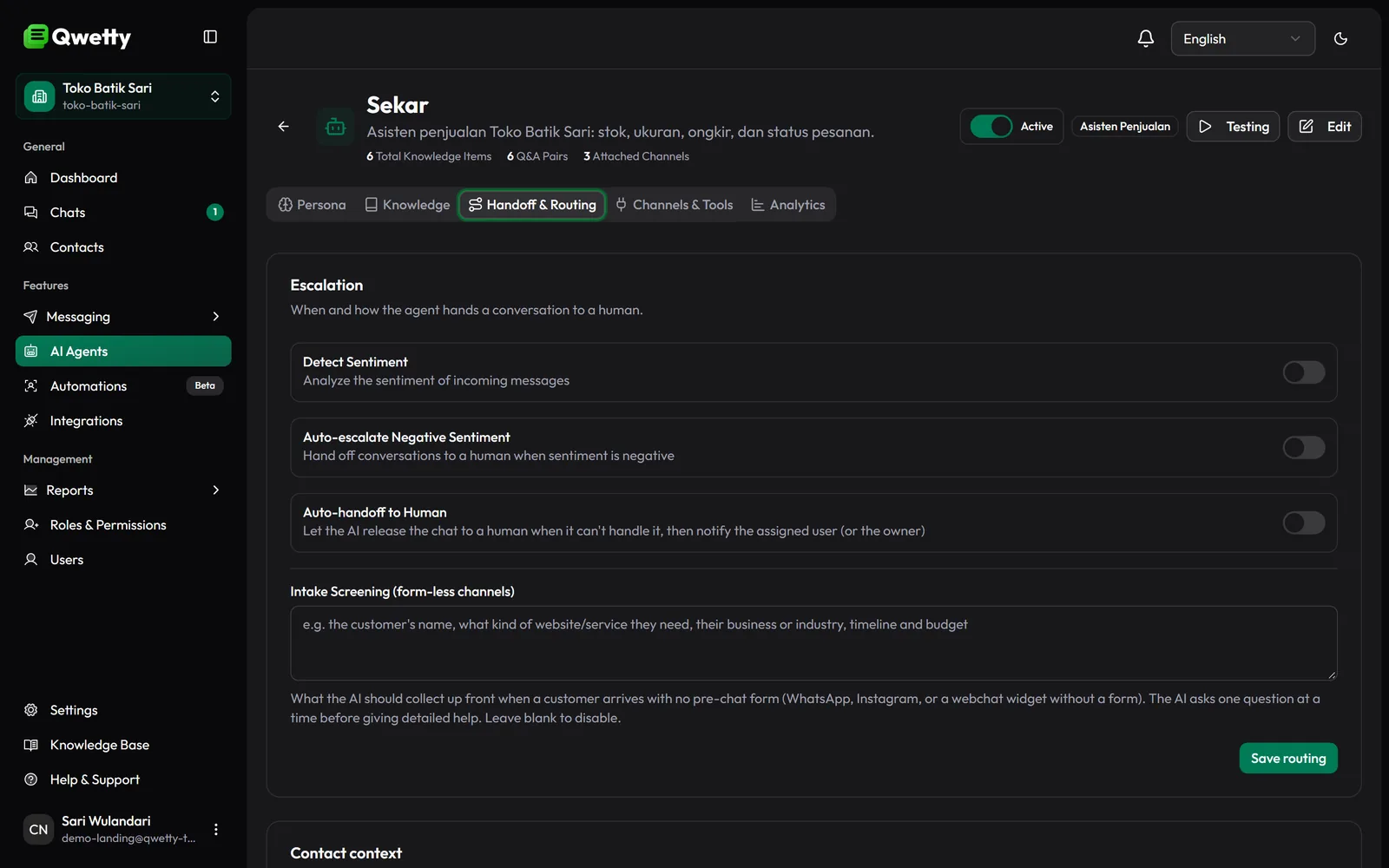
Go to AI Agents → [Your agent] → Handoff & Routing. Each card has its own save button.
Escalation
Section titled “Escalation”The Escalation card covers when and how the agent hands a conversation to a human. Click Save routing to apply changes.
| Setting | What it does | Default |
|---|---|---|
| Detect Sentiment | Analyze the sentiment of incoming messages. Off: no sentiment is detected for this agent, so it has no sentiment analytics | On |
| Auto-escalate Negative Sentiment | Hand the conversation to a human when a customer’s message is clearly negative. Needs sentiment detection, so turning it on also detects sentiment even if Detect Sentiment is off | Off |
| Escalation Threshold | Appears when auto-escalate is on. How sure the agent must be that a message is negative before it hands off, from 0 to 1. Lower = more sensitive | 0.7 |
| Auto-handoff to Human | Let the agent release the chat to a human when it can’t handle it. Also turns on Max Turns Before Escalation | Off |
| Handoff Rules | Appears when auto-handoff is on. Describe situations that always need a person, for example “hand off when the customer asks for a refund, mentions a complaint, or asks to speak to a manager”. Leave blank to let the agent decide | Empty |
| Handoff After N Failed Answers | Appears when auto-handoff is on. Hand off after the agent answers with its Fallback Message this many times in a row, 1–10 | 2 |
| Intake Screening (form-less channels) | What the agent should collect before giving detailed help (see Intake screening) | Empty |
What triggers a handoff
Section titled “What triggers a handoff”A chat is handed to your team when any of these happens:
| Reason | Needs | Shown in the chat as |
|---|---|---|
| The conversation reached Max Turns Before Escalation | Auto-handoff to Human — the limit is set on the Persona tab, default 20 | AI handed off — max conversation turns reached |
| A message is negative and the agent’s confidence is at or above the threshold | Auto-escalate Negative Sentiment | AI handed off — negative sentiment detected |
| The agent decides it can’t help, or a Handoff Rule applies | Auto-handoff to Human | AI handed off — followed by the agent’s reason |
| The agent used its Fallback Message N times in a row | Auto-handoff to Human and a Fallback Message | AI handed off — the AI could not answer repeatedly |
For the last two, the agent first sends a short, polite message saying a teammate will take over. It never gives out a phone number or another contact channel. For the first two, the handoff happens before the agent replies, so the customer gets no AI reply to that message.
What happens at a handoff
Section titled “What happens at a handoff”- The chat switches from the bot to your team, and the agent stops replying in it.
- If the chat already has an assignee, they keep it. If not, the organization owner is assigned — unless your organization uses First reply chat assignment, in which case the chat stays unassigned for whoever answers first.
- A note appears in the conversation saying why the AI handed off.
- The assignee gets a push notification: “AI needs a human”.
- On the web chat widget, the header switches from the bot to a person.
To give the chat back to the agent, click Return to Bot in the conversation header. A handoff only happens once per chat: if a person is already handling it, nothing changes.
Intake screening
Section titled “Intake screening”On channels where customers don’t fill in a form before chatting — WhatsApp, Instagram, and a web chat widget without a required pre-chat form — you can have the agent collect the basics first.
Write what to collect in Intake Screening (form-less channels), for example “the customer’s name, what kind of website or service they need, their business or industry, timeline and budget”. During the first few exchanges of a new conversation, the agent asks for these one question at a time before giving detailed help. Leave the field blank to turn screening off.
On a web chat widget that requires its pre-chat form, the agent never screens, so customers aren’t asked twice.
Contact context
Section titled “Contact context”The Contact context card controls which customer data the agent receives for each chat. Click Save contact context to apply.
| Setting | What the agent sees |
|---|---|
| Include Contact Info | The contact’s name, email, phone number and notes |
| Include Contact Tags | The tags on the contact |
Turn these on when the agent’s answers depend on who the customer is, for example to greet returning customers by name or treat tagged VIPs differently. Both are off by default.
AI Follow-up
Section titled “AI Follow-up”The AI Follow-up card lets the agent re-engage chats that have gone quiet, but only when it has a reason to. It depends on your plan; without it, the card shows an upgrade prompt.
| Setting | What it does | Default |
|---|---|---|
| Enable follow-up | The agent reviews quiet chats and proposes a follow-up when one is warranted | Off |
| Goal | What the agent should try to achieve, for example “Re-engage warm leads who asked about pricing then went quiet” | Empty |
| Guardrails | Cases where the agent must never follow up, for example “Never follow up on complaints or after an explicit no” | Empty |
| Wait before evaluating (hours) | How long the customer must be silent before a chat counts as stalled, 1–168 | 18 |
| Auto-send when confident | Off: each follow-up is proposed for your review. On: the agent sends it without approval when it is confident enough | Off |
| Confidence threshold | Appears when auto-send is on. The agent sends on its own only at or above this confidence, from 0 to 1 | 0.8 |
| After-window template | An approved WhatsApp template to use when the 24-hour messaging window has closed. Choose a simple body-text template | None |
Click Save to apply. Proposed follow-ups appear on the Follow-ups page and as a banner in the chat, where your team can Approve, Edit or Dismiss them. Contacts who have opted out of automated messages are never followed up.
AI follow-up doesn’t work on the web chat widget. If the agent is attached only to web chat channels, the card is hidden; if it is attached to web chat and other channels, follow-ups apply to the other channels only.
Next steps
Section titled “Next steps”- Persona and Behaviour — Fallback message, max turns and other persona settings
- Testing and Analytics — See handoffs in the Playground before going live
- Managing Conversations — Taking over and returning chats
- Follow-ups — Reviewing the follow-ups the agent proposes